How to Choose Energy-Efficient Accessories for Your Gaming Setup
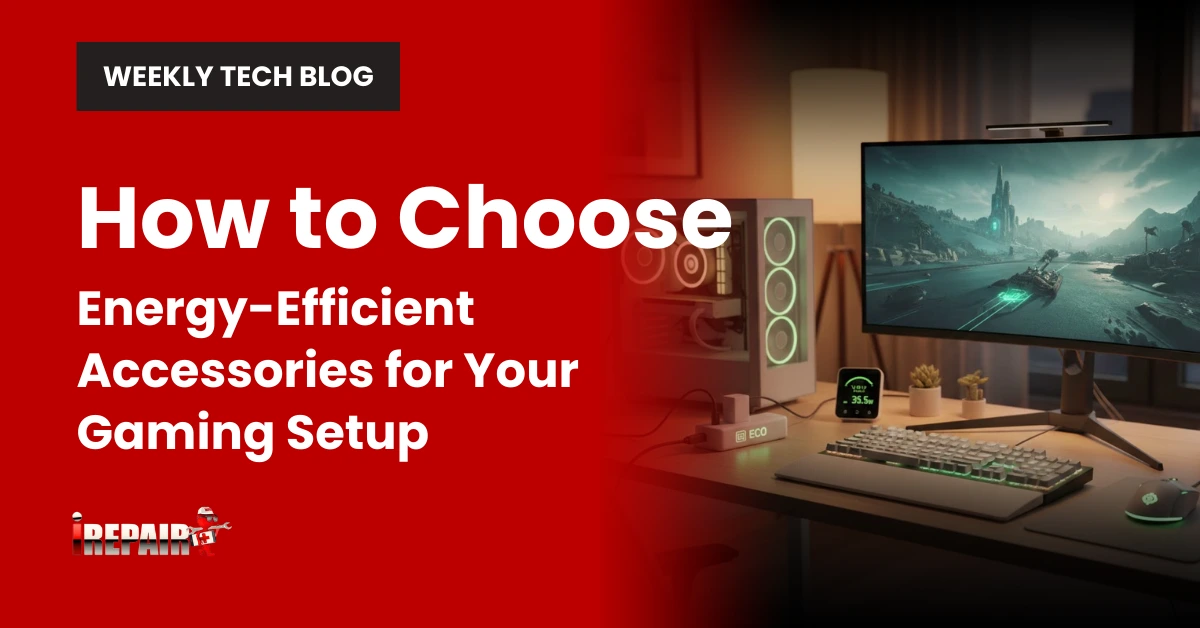
When selecting energy-efficient gaming accessories, look for ENERGY STAR certification and low wattage ratings on product specifications. Choose OLED or mini-LED monitors with ambient light sensors and auto-sleep modes. Invest in peripherals with configurable sleep timers and smart charging systems. Replace traditional lighting with LED strips or smart lighting solutions that adjust automatically. USB-C Power Delivery and magnetic charging docks offer ideal efficiency for wireless devices. The right choices will lower your electricity bills while extending your gear’s lifespan.
Understanding Power Ratings and Energy Star Certification
When you’re shopping for gaming accessories, power ratings and certifications might seem like technical afterthoughts, but they’re pivotal indicators of how efficiently your devices will use electricity. Look for the Energy Star label, which guarantees the product meets strict efficiency standards set by the EPA.
Pay attention to wattage ratings. Lower numbers mean less power consumption. For wireless peripherals, check the battery life and charging efficiency. Many manufacturers now list the expected power draw in their specifications.
Energy efficiency matters in modern gaming not just for environmental reasons, but also for your electricity bill. As energy-efficient tech products continue to advance, you’ll find options that deliver high performance without unnecessary power consumption. This balance of performance and efficiency is the sweet spot for sustainable gaming.
Selecting Energy-Efficient Monitors and Displays
Now that you understand power ratings, let’s focus on monitors, often the biggest energy consumers in your gaming setup. When shopping for energy-efficient monitors, look specifically for ENERGY STAR certification, which guarantees at least 25% lower power consumption than standard models.
Consider OLED or mini-LED displays that consume less power while delivering excellent contrast and color. Pay attention to the monitor’s brightness settings. Many eco-friendly gaming gear options now include ambient light sensors that automatically adjust brightness based on your room’s lighting.
Size matters too. While larger screens create immersion, they draw markedly more power. A 24-27″ monitor offers the sweet spot between viewing experience and energy efficiency. Finally, check for features like auto-sleep modes that activate after periods of inactivity.
Power Management Solutions for Gaming Peripherals
Most gaming peripherals now come with built-in power management features that you’ll want to maximize for ideal energy efficiency. Look for power-saving gaming gear that includes configurable sleep timers, which automatically power down devices after periods of inactivity. USB hubs with individual switch controls let you cut power to unused accessories without unplugging them.
Smart power strips are another excellent solution for your energy-efficient gaming accessories, as they can detect when your main device powers off and cut electricity to connected peripherals. Many modern gaming mice and keyboards also offer software that lets you optimize polling rates and RGB lighting schedules to reduce power consumption during different times of day. Consider investing in peripherals with rechargeable batteries that include battery health monitoring to maintain prime efficiency over time.
Eco-Friendly Lighting Options for Your Gaming Space
How you illuminate your gaming space greatly impacts both your experience and energy consumption. When building an eco-friendly gaming setup, opt for LED strips with adjustable brightness rather than traditional bulbs; they consume up to 80% less electricity while providing a customizable ambiance.
Consider smart lighting systems that automatically adjust based on time of day or sync with your gameplay, reducing unnecessary brightness. For reduced energy usage tips, install motion sensors that activate lights only when you’re present.
Natural light is also valuable. Position your setup near windows when possible, but use light-diffusing curtains to prevent screen glare. For late-night sessions, focused task lighting illuminates just your play area rather than the entire room, substantially decreasing your overall energy footprint.
Battery and Charging Technologies That Save Electricity
While traditional gaming peripherals often drain power excessively, modern charging technologies have revolutionized how you’ll power your gaming accessories. Today’s efficient charging systems utilize smart power management that stops charging once batteries reach capacity, preventing wasted electricity.
Look for controllers with quick-charge capabilities that reach full power in under two hours while drawing minimal electricity. Energy-saving controllers with lithium-ion polymer batteries maintain performance longer than older nickel-based alternatives. Some advanced peripherals even feature USB-C Power Delivery, which optimizes voltage and current for maximum efficiency.
Magnetic charging docks are another innovation worth considering; they provide convenient connection while eliminating wasteful trickle charging. For ultimate efficiency, select accessories with power pass-through features that charge multiple devices simultaneously through a single outlet.
Frequently Asked Questions
Do Wireless Gaming Accessories Consume More Power Than Wired Ones?
Yes, wireless gaming accessories typically consume more power than wired ones. You’ll notice wireless devices require batteries that need regular charging, using additional energy for Bluetooth or RF transmission. However, modern wireless peripherals have enhanced considerably with power-efficient chips and smart sleep modes. When idle, quality wireless accessories can actually use less power than some wired options that continuously draw electricity. Consider this trade-off when making your purchasing decisions.
How Much Electricity Can I Save by Switching to Eco-Friendly Peripherals?
You can save between 10-40% on electricity by switching to eco-friendly gaming peripherals. LED-optimized keyboards and mice consume 30% less power, while ENERGY STAR monitors use 25% less energy. Auto-sleep features can reduce idle consumption by up to 90%. If your current setup draws 100W for peripherals, you’d potentially save 10-40W, which adds up considerably over time, especially if you’re gaming several hours daily.
Will Energy-Efficient Gaming Accessories Compromise Performance and Responsiveness?
No, energy-efficient gaming accessories won’t compromise performance or responsiveness. Modern eco-friendly peripherals are designed with both efficiency and performance in mind. You’ll find that low-power Bluetooth controllers, optimized mice sensors, and energy-efficient keyboards maintain competitive response times while using less power. Features like sleep modes only activate during inactivity. Top gaming brands like Logitech, Razer, and SteelSeries now offer high-performance peripherals that prioritize energy efficiency without sacrificing gaming quality.
Can Solar-Powered Gaming Accessories Deliver Reliable Gaming Performance?
Solar-powered gaming accessories currently can’t deliver reliable gaming performance for intense sessions. You’ll find they’re better suited for casual mobile gaming or charging backup batteries. They lack consistent power delivery for high-performance gaming and may introduce lag or connectivity issues. While improving annually, today’s solar tech simply doesn’t generate enough steady power for competitive gaming needs. Consider them supplementary charging solutions rather than primary power sources.
How Do I Calculate the Total Energy Cost of My Gaming Setup?
To calculate your gaming setup’s total energy cost, first use a wattmeter to measure each device’s power consumption. Multiply the kilowatt-hours by your electricity rate (found on your utility bill). For example, a 500W PC running 4 hours daily uses 2kWh daily or 60kWh monthly. At $0.15/kWh, that’s $9/month just for the PC. Don’t forget to include monitors, consoles, routers, and peripherals in your calculations.