Common Signs of Battery Damage and What They Mean
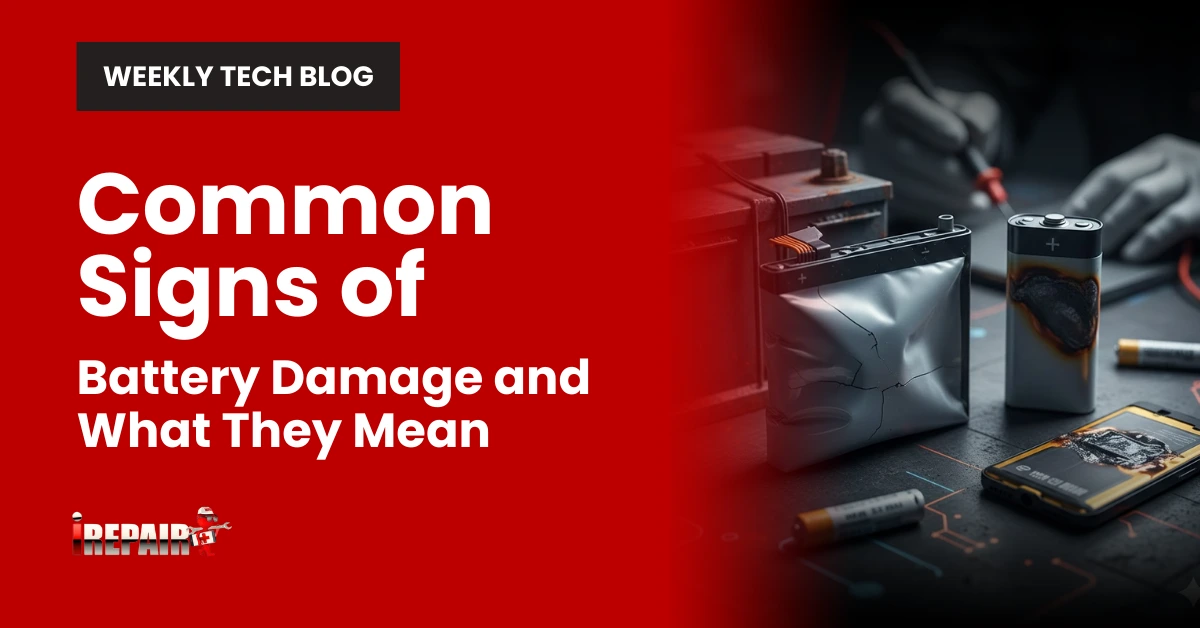
Common signs of battery damage include physical swelling/bulging, unusual heat during operation, drastically reduced runtime, unexpected device shutdowns, and corrosion around terminals. You’ll notice performance issues like quick discharge or erratic battery percentage readings. Heat and swelling require immediate attention due to fire risks. Don’t ignore these warning signs; they’re your device’s way of telling you something’s seriously wrong before the situation becomes dangerous.
Physical Deformation and Swelling
When examining your device’s battery for damage, physical deformation is often the most obvious warning sign. A swollen or bulging battery indicates a serious internal chemical breakdown that’s pushing against your device’s casing. This is among the clearest battery swelling symptoms and requires immediate attention.
You might notice your phone case separating, a laptop trackpad raising, or buttons becoming difficult to press. These physical changes aren’t just cosmetic; they signal imminent device battery failure. The underlying chemical reaction creates pressure, heat, and potentially flammable gases inside the battery.
Don’t ignore these signs or continue using affected devices. A swollen battery needs replacement immediately, as it poses serious fire and explosion risks that could damage property or cause injury.
Unusual Heat During Operation or Charging
Excessive heat generation represents another significant indicator of battery damage, complementing the physical deformation signs previously discussed. When your battery consistently becomes hot during normal use or charging, it’s typically signaling internal resistance problems or chemical instability.
You’ll notice your device’s power diminishing as the system tries to manage temperature spikes. This overheating isn’t just inconvenient; it creates serious safety risks, including potential thermal runaway, where a dangerous chain reaction of heat buildup occurs within the battery.
If your phone, laptop, or other device becomes uncomfortably warm during light tasks or standard charging, don’t ignore it. Continuing to use an overheating battery accelerates degradation and increases the chance of catastrophic failure. Consider a professional assessment before the problem escalates further.
Drastically Reduced Runtime and Quick Discharge
A drastically reduced battery runtime is often the most noticeable sign of battery deterioration. If your device now lasts only a few hours when it previously ran all day, you’re experiencing significant battery degradation signs. This doesn’t happen suddenly; capacity diminishes gradually over charge cycles.
When you notice your battery draining fast during normal usage, it indicates the cells can no longer hold their original charge capacity. What’s concerning is how this problem compounds as batteries degrade; they often become less efficient at power delivery, causing your device to work harder and drain even faster. This creates a negative cycle that accelerates deterioration. Consider replacement when the runtime falls below 50% of the original capacity, as this impacts both productivity and device reliability.
Devices Turning Off Unexpectedly
Unexpected device shutdowns, even when your battery indicator shows significant charge remaining, represent one of the most frustrating and telling signs of battery damage. This phenomenon occurs because damaged battery cells can’t maintain a stable voltage under load, causing your device to power off abruptly to protect its components.
You might notice battery percentage jumps immediately before shutdowns showing 30% one minute and dropping to 1% the next. These inconsistencies indicate your battery can no longer accurately report its charge level. The problem typically worsens in cold environments or during resource-intensive tasks.
Don’t ignore these warnings, as they’ll become more frequent over time. While occasional shutdowns might happen for other reasons, persistent unexpected shutdowns almost always point to a battery that needs replacement.
Corrosion and Leakage Warning Signs
Battery leakage and corrosion present clear, visible danger signs you shouldn’t ignore. When examining your device, look for crystalline deposits, discoloration, or crusty residue around battery terminals. These substances aren’t just unsightly; they’re conductive materials that can damage electronic components and create battery safety concerns.
If you notice unusual staining on your device casing or feel sticky residue, act immediately. These symptoms often accompany battery overheating issues, creating a dangerous combination that compromises both performance and safety. Never touch leaking material with bare hands as battery chemicals are caustic and can cause skin irritation or burns.
Always power down affected devices and remove batteries safely, using gloves if possible. Proper disposal at designated recycling centers is essential to prevent environmental contamination.
Frequently Asked Questions
Can a Damaged Battery Be Repaired or Restored?
Minor battery issues can sometimes be resolved through calibration or software fixes, but physical damage or chemical deterioration can’t be truly repaired. While some services claim to “recondition” batteries, they typically just slow the decline rather than restore capacity. Once a battery shows significant damage (swelling, overheating, etc.), you’re better off replacing it. For safety and performance reasons, it’s unwise to attempt DIY repairs on damaged lithium-ion batteries.
How Often Should Batteries Be Replaced as Preventative Maintenance?
You’ll find that battery replacement timing varies by device type. For smartphones, consider replacing every 2-3 years when capacity falls below 80%. Laptop batteries typically last 2-4 years. Car batteries should be replaced every 3-5 years. Electric vehicle batteries can last 8-10 years. Don’t wait for complete failure – if you’re experiencing performance issues, it’s often worth replacing proactively rather than risking unexpected downtime.
Are Aftermarket Replacement Batteries Safe to Use?
Aftermarket replacement batteries can be safe, but quality varies considerably. You’ll want to choose reputable brands with good reviews and proper certification (UL, CE). They’re typically less expensive than OEM options, but may offer shorter lifespans or reduced performance. Always verify compatibility with your device and check warranty terms. While many aftermarket batteries work fine, premium devices might benefit from manufacturer-approved replacements to avoid potential compatibility issues or performance limitations.
Can Software Updates Fix Battery Performance Issues?
Software updates can sometimes fix battery performance issues. They might optimize power usage, correct calibration problems, or address bugs that cause excessive battery drain. However, they can’t repair physical damage or restore depleted chemical capacity in your battery. If you’re experiencing severe symptoms like swelling or overheating, a software update won’t help. For the best results, keep your device updated, but recognize when it’s time to replace an aging battery.
Do Extreme Temperatures Permanently Damage Batteries?
Yes, extreme temperatures can permanently damage your batteries. High heat accelerates chemical degradation inside battery cells, while extreme cold reduces ion mobility. When you expose batteries to temperatures above 95°F or below freezing, you’re risking irreversible capacity loss. Even a single exposure to severe temperatures can cause permanent damage, though repeated exposure is worse. That’s why you’ll notice manufacturers recommend using and storing batteries in moderate temperature conditions.